














Root search
Apps, files, contacts, snippets, commands, bookmarks, emoji, and system actions from one native launcher.
Full privacy. No cloud. No login. No data collection. No bullshit.
A deeply scalable org chart made entirely of Kitze doing different jobs and pretending it was planned.
47 native features shipping today — launcher, files, widgets, integrations, and system control.
Apps, files, contacts, snippets, commands, bookmarks, emoji, and system actions from one native launcher.
Launch saved links and repeated destinations without opening a browser first.
A native app grid window with search, pinned apps, sorting, grouping, hiding, and uninstall actions.
Search bookmarks from Chrome, Arc, Brave, Edge, Chromium, Safari, and Firefox in root search.
Search and run Apple Shortcuts from the same root command surface as apps and files.
Uninstall, hide, pin, preview, copy, and open apps and files without leaving search results.
Usage tracking lifts frequently opened items and filters duplicate or noisy Apple service apps.
Find files from the launcher with previews, Finder actions, and quieter search thresholds.
A temporary shelf for dragged files, launcher rows, floating drop targets, and bulk file actions.
Native two-pane translation with language detection, target language selection, and copy actions.
Calculator-style queries and natural-language date math directly inside launcher search.
Local alarms with weekday repeats, native timers, and a ringing panel with quick snooze actions.
Pinned emoji, learned phrases, custom hints, and Quick AI suggestions in a native picker.
Open a native live camera preview from the launcher with permission handling included.
Native AI chat with agents, conversation history, workspace context, and skill mentions.
Search, reuse, and act on recent clipboard items without leaving the keyboard.
Search snippets and reuse text without digging through a separate snippet manager.
Search Apple Notes, preview them in Supermac, open them in Notes, and hide note paths in Privacy Mode.
Local tasks with work/personal areas, priority, flags, root search, launcher actions, and a Today widget.
Search Today reminders, complete them inline from widgets, and fix permission routing from settings.
A menu bar calendar with remaining events, day-phase grouping, upcoming days, live counts, and Now states.
Search calendar events, browse day-phase agendas, and keep upcoming events visible in the menu bar.
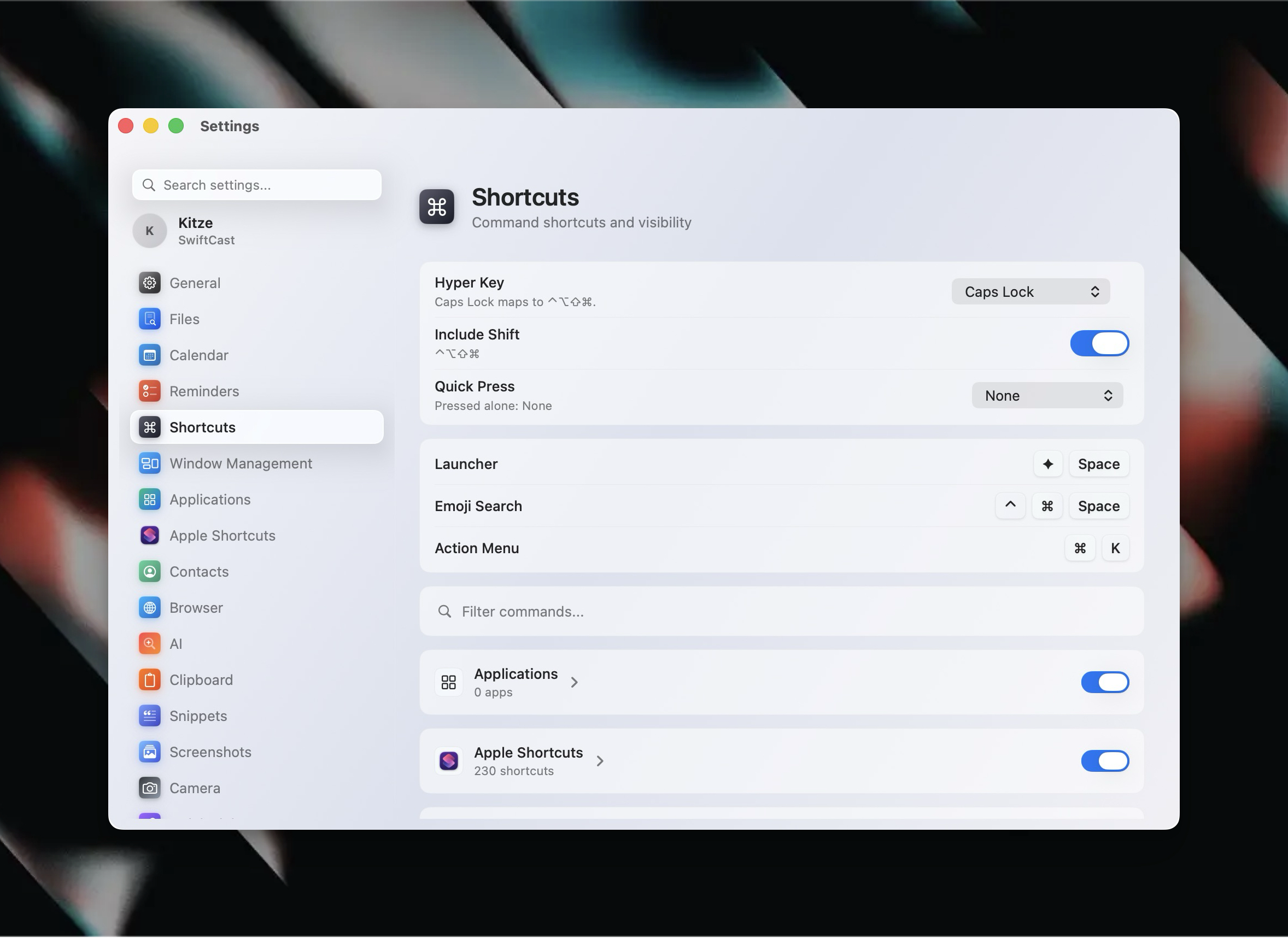
Command shortcuts, action-menu shortcuts, and Hyper-aware bindings for fast workflows.
Move and resize windows with configurable gaps, cycling behavior, and Stage Manager awareness.
Switch between Widgets + Search, Only Search, and a compact type-first launcher window.
Searchable action menu for the selected result with keyboard-first navigation and cleaner glass styling.
Turn Caps Lock or another physical key into Hyper, including Hyper-Space to open the launcher.
Run common Mac actions directly from search.
Open and route into settings and preferences from the command surface.
Inspect CPU, memory, process groups, and history from a native launcher view.
Blur sensitive launcher titles while recording or presenting.
Inspect Calendar, Reminders, Contacts, and Accessibility access with routing into macOS settings.
Glanceable launcher widgets, interactive widgets, and bottom status chips.
Complete reminders, toggle controls, and act on widget state directly inside the launcher.
Discover and run third-party extension commands from the launcher.
Browser tab and window controls exposed as native Supermac commands through the Chrome companion bridge.
Download video or audio from yt-dlp-supported URLs, then search the download history from Supermac.
Pair an Android phone, watch battery/status, ring it, vibrate it, open apps, and trigger phone actions.
Focused native settings panes with brand icons for GitHub, Linear, Spotify, and Benji credentials and defaults.
Native GitHub settings with credential previews and support for custom or self-hosted base URLs.
Connect Linear with focused credential settings and adjustable base URLs for self-hosted setups.
Spotify integration with native settings, credential previews, and bundled brand icons.
Benji integration with native credential management and defaults inside Supermac settings.
Home, lights, climate, and security widgets plus launcher controls for connected smart home gear.
Track app and website usage, surface usage widgets, and configure gentle or strict screen breaks.
Sampled typing soundpacks with per-key playback, release sounds, volume, and typing-only controls.